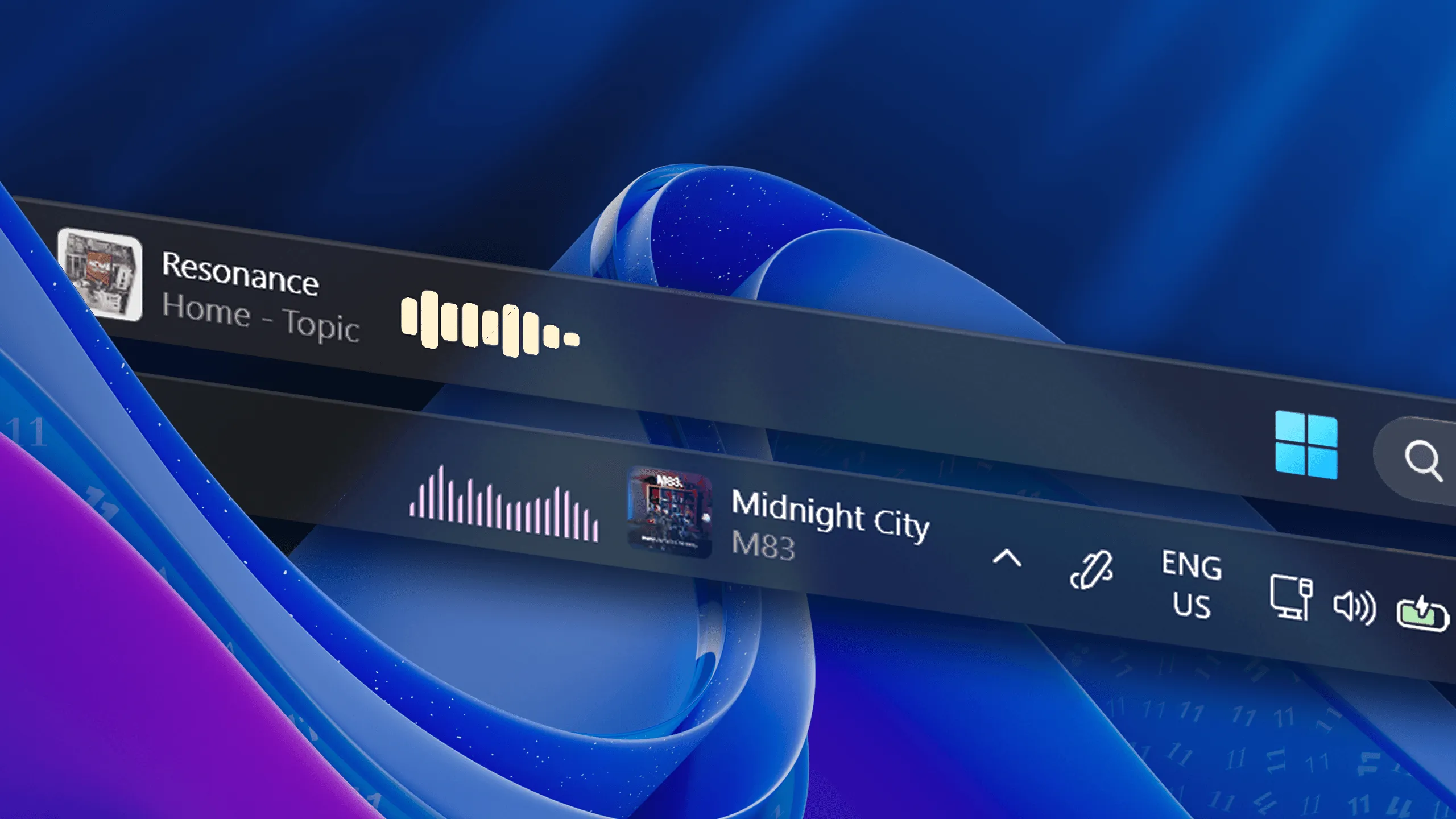
If you customize your Windows taskbar with tools like WindHawk, Start11 or StartAllBack, you might notice that taskbar widgets can sometimes look clipped, overlap neighboring elements, or reserve slightly incorrect spacing.
To improve compatibility with these setups, FluentFlyout now includes a dedicated option for older or heavily modified taskbar layouts.
Why This Happens
Taskbar modification programs often change the way the taskbar functions and reports its dimensions. The taskbar widgets in FluentFlyout inject themselves into the taskbar and rely on accurate width and spacing information to render correctly. When a mod heavily modifies this, it can lead to visual issues such as clipping or misalignment.
Symptoms can include:
- Widget content being visually cut off.
- Unexpected padding around the widget.
- Widgets overlapping with taskbar icons.
The Fix: Legacy Taskbar Width System
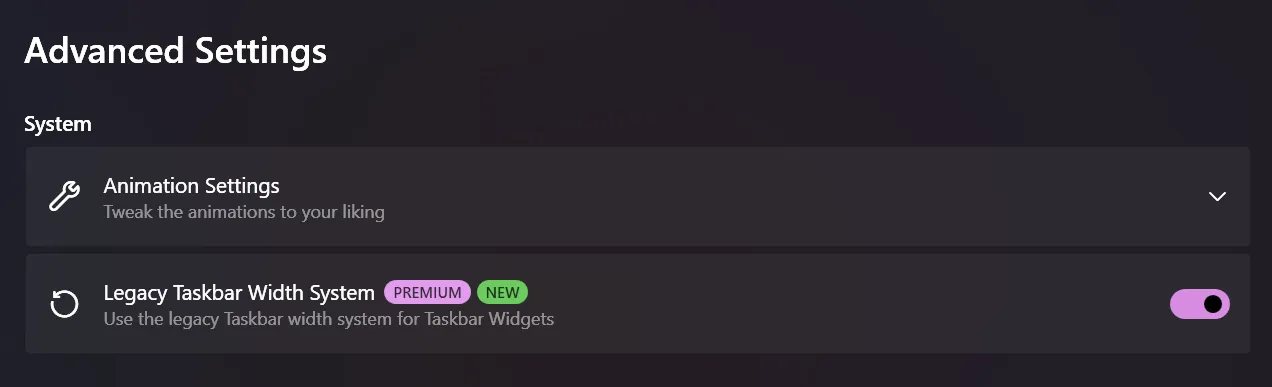
FluentFlyout now provides a “Legacy Taskbar Width System” toggle designed specifically for these cases.
To enable it:
- Open FluentFlyout Settings.
- Go to
Settings > System > Advanced Settings. - Turn on Legacy Taskbar Width System.
- Verify the taskbar widgets now render correctly without clipping or spacing issues.
In most WindHawk and Start11 configurations, this resolves clipping and width inconsistencies immediately. You can now customize and enjoy FluentFlyout’s taskbar widgets without clipping issues, even on heavily modified taskbars!
If You Still See Visual Issues
If clipping or spacing is still off after enabling the setting, try this quick checklist:
- Ensure you are running the latest FluentFlyout version.
- Temporarily disable other taskbar-related mods to identify conflicts.
- Restart Explorer after changing mod settings.
If the issue persists, feel free to report your exact taskbar mod stack and version info so we can continue improving compatibility. Our community has been incredibly helpful in testing and providing feedback on various taskbar setups, so your input is invaluable!
FluentFlyout’s taskbar widgets are a big part of what makes the app special. This new compatibility option is our commitment to ensuring that FluentFlyout works seamlessly for everyone.
Happy customizing!